
Download Navi Radiography Lite – radiography, X-ray imaging, medical education, radiologic technologist, radiographer, radiologist, medical student, healthcare professional, 3D beam's eye view, patient positioning, X-ray atlas, medical reference, radiography methods, medical app, diagnostic imaging, medical tool
Overview
Navi Radiography Lite (Navi Rad Lite) is a specialized educational and reference application designed for iOS users in the medical field. Developed by Navi Radiography, the app serves as a comprehensive digital resource for professionals and learners involved in radiographic imaging. It addresses the need for accessible, accurate, and interactive tools to support the study and practice of X-ray imaging techniques. The app targets radiologic technologists, radiographers, radiologists, medical students, and other healthcare professionals seeking to deepen their understanding of radiographic procedures.
With 245 documented radiography methods, Navi Radiography Lite covers key anatomical regions such as the head and skull, vertebral column, thoraco-abdominal area, upper extremities, and lower extremities. Each method includes detailed explanations of imaging principles, positioning protocols, and technical parameters. The app is particularly useful in clinical training, exam preparation, and on-the-job reference. Its structured layout and visual aids help users grasp complex concepts related to X-ray beam direction, patient posture, and image evaluation. The developer did not provide additional information about the organization’s background or history.
Real-world usage scenarios include pre-procedure planning, classroom instruction, self-study, and quick access to technical specifications during clinical shifts. The app’s mobile format enhances portability, allowing users to reference critical imaging data anytime, anywhere. It is available at no cost on the App Store, broadening its accessibility across educational institutions and healthcare facilities. The developer has committed to regular updates to maintain content accuracy and relevance.
Key Features & Capabilities
- 245 Radiography Methods – Comprehensive coverage of imaging procedures across major anatomical regions, supporting both foundational and advanced learning.
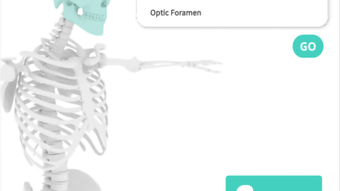
- 3D Beam's Eye View – A dynamic visualization tool that displays the X-ray beam’s path from the source to the patient, with adjustable transparency for enhanced understanding of beam alignment and anatomy interaction.
- Position & X-ray Feature – Reproduces patient posture in 3D, allowing users to view front, side, and perspective angles, along with beam direction, angles, and radiographic parameters.
- X-ray Image Atlas – A curated collection of reference images to support visual learning and image evaluation skills.
- Medical Terminology Library – Includes anatomical and medical terms with definitions, aiding comprehension for learners and non-native speakers.
- Technical Parameter Details – Provides information on IR size, SID, central ray, respiration, kVp, mAs, collimation, and image evaluation criteria.
- Multilingual Support – Offers medical terminology in multiple languages, improving usability for international users.
These features enable users to simulate real-world imaging scenarios, improve positioning accuracy, and enhance diagnostic interpretation. For example, a medical student can use the 3D Beam’s Eye View to visualize how beam angle affects image clarity before performing a procedure. A radiographer can quickly verify the correct SID and collimation settings for a specific exam. The app’s integration of visual and technical data supports both conceptual learning and practical application.
User Interface, Workflow & Performance
Navi Radiography Lite features a clean, intuitive interface designed for efficient navigation on mobile devices. The layout prioritizes clarity and accessibility, with categorized sections for anatomical regions and individual procedures. Users can browse methods by body area or search for specific exams, enabling quick access to relevant content. Navigation is straightforward, with minimal clicks required to view detailed information, 3D models, and reference images.
The workflow is optimized for educational and clinical use, allowing users to switch between different views—such as patient positioning, beam direction, and image results—without disrupting their learning flow. The app’s performance is consistent with typical iOS applications of its size and function. The developer did not specify resource usage details, but the 43.5 MB installation size suggests efficient storage use. General software behavior patterns indicate smooth operation under normal conditions. Stability appears reliable, with no reported issues in the provided information.
Compatibility & System Requirements
Navi Radiography Lite is designed exclusively for iOS devices. It is compatible with the latest versions of the operating system, though exact compatibility details were not provided. The app requires 43.5 MB of storage space for installation. The developer did not specify minimum hardware requirements, such as processor speed, RAM, or screen resolution. Users are advised to ensure their device meets standard iOS app requirements for optimal performance.
Platform compatibility information is limited to iOS. No support for Android, Windows, or Mac was mentioned. The app is distributed through the App Store, which ensures secure distribution and automatic update delivery. The latest version, 1.3.4, was released on August 5, 2023. The developer has not disclosed any plans for future platform expansion.
Pros and Cons
Pros
- Comprehensive collection of 245 radiography methods across multiple anatomical regions
- Interactive 3D Beam's Eye View enhances understanding of X-ray beam direction
- Position & X-ray feature supports visual learning of patient posture and beam angles
- Free to download and use, increasing accessibility for students and professionals
- Regular updates ensure content remains accurate and current
- Supports multiple languages, improving usability for diverse users
- Compact file size (43.5 MB) reduces storage impact
Cons
- Available only on iOS, limiting access for Android and desktop users
- Exact system requirements were not listed
- Limited information on performance under high usage or multitasking
- No offline mode details provided
- May require additional study materials for advanced clinical application
FAQ Section
Is Navi Radiography Lite available for Android devices?
The app is currently available only on iOS. There is no information indicating future support for Android platforms.
Is the app free to use?
Yes, Navi Radiography Lite is available at no cost on the App Store. There are no in-app purchases or subscription fees mentioned.
Can I use the app offline?
While the developer did not specify offline functionality, many similar educational apps retain core features without an internet connection. Users are advised to check the app’s behavior after download.
How often is the app updated?
The app is regularly updated to ensure accuracy and relevance of content. The latest version, 1.3.4, was released on August 5, 2023.
What kind of medical professionals can benefit from this app?
Medical students, radiologic technologists, radiographers, radiologists, and other healthcare professionals involved in diagnostic imaging can use the app for study, training, and reference.
Final Thoughts + CTA
Navi Radiography Lite stands out as a well-structured, visually engaging tool for anyone involved in radiographic education and practice. Its extensive database of imaging methods, combined with innovative 3D visualization features, delivers a powerful learning experience on mobile devices. The clean interface, multilingual support, and free access make it an ideal resource for students and professionals alike.
While the app is limited to iOS and lacks detailed system requirements, its strengths in content depth, usability, and regular updates outweigh these constraints. It is particularly valuable for those preparing for exams or needing quick, reliable reference during clinical work. For users in the medical imaging field, this app offers a practical and accessible way to master radiography principles.
Download Navi Radiography Lite now







